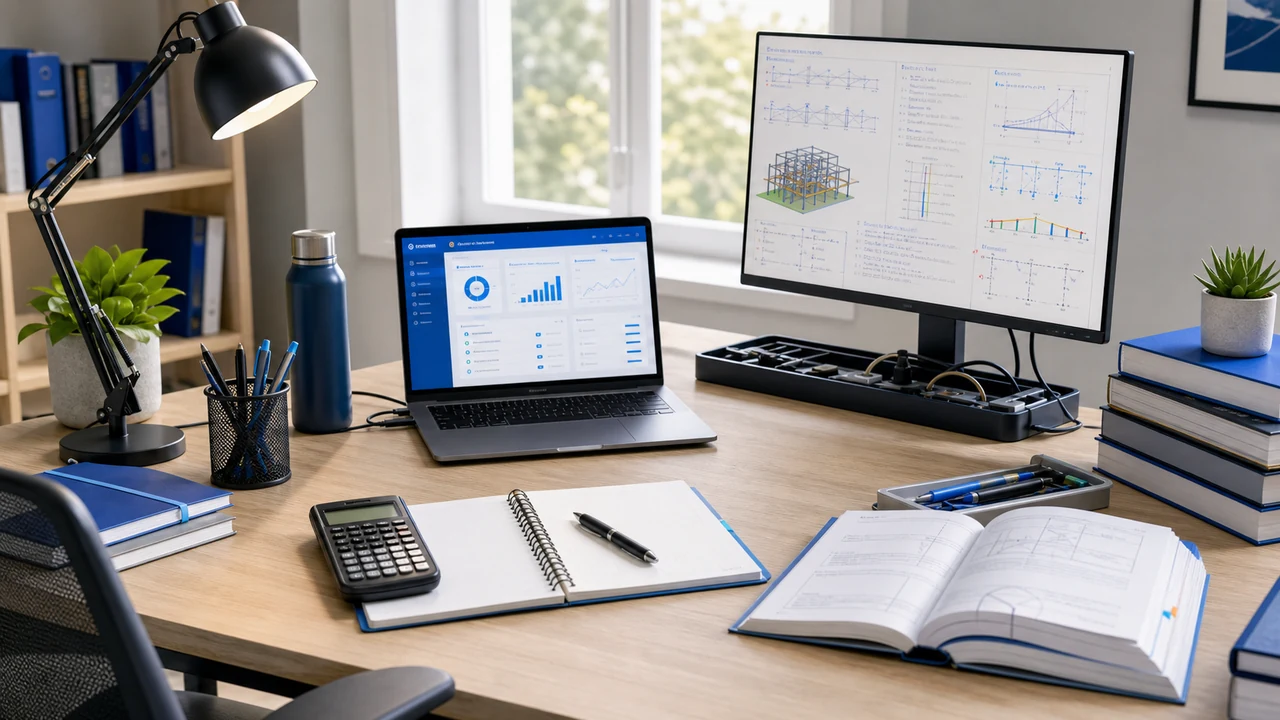
If you are spending three or four hours a night studying for the FE or PE exam, your desk setup matters more than you think. A cramped desk with bad lighting and a monitor at the wrong height does not just cause discomfort — it drains your focus. You start shifting in your seat, squinting at the screen, and taking breaks not because you need a mental reset but because your body is uncomfortable. Over a three-month study plan, those lost minutes add up to hours of wasted time.
A good study station does not need to be expensive or Instagram-worthy. It needs to be comfortable for long sessions, organized enough that you can find what you need quickly, and set up so that your body is not fighting you while your brain is working. Here is how to build one.
The Desk: Your Foundation
The desk is the most important purchase because everything else sits on it or around it.
What desk width FE/PE candidates actually need
For FE and PE exam prep specifically, 36 inches of desk width is the realistic minimum, and 48 inches is the comfortable target. Here is the math. During a practice session you typically have five things active at once: your laptop or monitor running the practice software (14–16 inches wide), the NCEES Reference Handbook open on a second monitor or as a printed PDF (roughly 8.5 inches if physical, or another screen window), scratch paper for hand calculations (8.5 inches plus elbow room), a TI-36X Pro calculator (about 2 inches), and a practice-exam book or problem set if you are working from paper (roughly 9 inches). Add it up and you need at least 36 inches of clear workspace before your elbows start hitting the edges.
The reason this matters more for FE/PE prep than for routine office work: the real exams are long. The full-length 110-question FE runs 5 hours 20 minutes, and the PE runs 8 hours. Any desk setup that forces you to shuffle papers every time you switch from the handbook to the calculator to scratch paper costs you 15–20 seconds per question during practice. That adds up to losing a full topic section by the end of a simulated exam. Build desk layout into your study system the same way you build calculator keystroke fluency into your topic drills.
Here are three desks at different price points that meet or exceed the 36-inch width target:
1. FLEXISPOT E7 Standing Desk (48x30 inches) — Best Overall
Price: ~$400–$500 | Best for: Engineers who study for long hours and want to alternate between sitting and standing
The FLEXISPOT E7 is a motorized standing desk with a solid steel frame and a quiet dual-motor lift system. The ability to switch between sitting and standing during a four-hour study session is genuinely valuable — when your focus starts to drift after 90 minutes of sitting, standing up for 20 minutes resets your alertness without breaking your study flow. The 48x30 inch surface fits a 27-inch monitor, laptop, reference books, and writing space with room to spare. Four programmable height presets let you switch to your exact sitting and standing heights with one button press.
Pros: Motorized sit-stand adjustment with four memory presets, rock-solid steel frame with no wobble at standing height, 48x30 inch surface is large enough for a full study setup, 275 lb weight capacity handles monitors and equipment, cable management tray included
Cons: Expensive compared to fixed desks, assembly takes 45–60 minutes and the frame is heavy, the motor makes a slight hum during adjustment (not during use), the desktop is sold separately on some configurations (check before buying)
2. SHW 55-Inch L-Shaped Desk — Best for Space
Price: ~$130–$180 | Best for: Students who need maximum surface area for a monitor, laptop, textbooks, and writing space
An L-shaped desk gives you the most usable surface area for the money. The main wing handles your monitor and laptop, and the side wing becomes your dedicated writing and reference area. This layout is ideal for FE/PE exam prep because you can keep practice problems and reference materials spread out on the side wing while working on your computer on the main wing — no stacking and unstacking papers every time you switch tasks. The SHW model is straightforward steel-and-laminate construction that does the job without pretending to be furniture.
Pros: Massive surface area at a low price, L-shape separates computer work from paper/reference work, fits into room corners efficiently, easy assembly (30 minutes), includes monitor shelf on the main wing
Cons: Fixed height (no standing option), the included monitor shelf is small and not height-adjustable (a monitor arm is better), laminate surface scratches easily, the corner joint can feel slightly unstable if the desk is not leveled on uneven floors
3. VASAGLE Computer Desk (47x24 inches) — Best Compact
Price: ~$70–$100 | Best for: Students in small apartments or dorm rooms who need a functional desk at minimum cost
Sometimes you just need a desk that fits in a small room, holds a monitor and laptop, and costs less than a textbook. The VASAGLE 47-inch desk does exactly that. The industrial steel frame is stable, the 47x24 inch surface is the minimum workable size for a monitor plus writing space, and the open design keeps a small room from feeling cramped. It is not fancy, but it works. Pair it with a good chair and a monitor arm and you have a capable study station for under $200 total.
Pros: Very affordable, compact footprint fits in dorm rooms and studio apartments, sturdy steel frame, open design does not block light in small spaces, simple assembly (20 minutes)
Cons: 24-inch depth is tight — your monitor may be closer than ideal without a monitor arm, no drawers or built-in storage, no cable management features, the surface is only 47 inches wide which limits how much you can spread out
Essential Accessories
The desk is the foundation, but these accessories make the difference between a desk that works and a desk that works well for long study sessions.
4. HUANUO Dual Monitor Arm — Best Desk Accessory
Price: ~$35–$50 | Best for: Anyone with an external monitor who wants to reclaim desk space and get ergonomic screen positioning
A monitor arm is the single most underrated desk upgrade. It clamps to the back edge of your desk and holds your monitor (or two monitors) on an adjustable arm, freeing the entire footprint that the monitor stand was occupying. More importantly, it lets you position the screen at exactly the right height and distance — top of the screen at eye level, roughly an arm’s length away. The HUANUO model supports two monitors up to 27 inches each and adjusts smoothly with gas spring tension.
Pros: Frees significant desk space by eliminating the monitor stand, allows precise ergonomic positioning (height, depth, angle, rotation), supports two monitors up to 27 inches and 17.6 lbs each, gas spring adjustment is smooth and holds position, cable management clips built into the arms
Cons: Requires a desk edge that can accept a C-clamp (does not work with all desk shapes), initial tension adjustment takes some trial and error, the clamp can mark soft desk surfaces (use a protective pad), single-monitor version is available if you only need one arm
5. BenQ ScreenBar Monitor Lamp — Best Lighting Upgrade
Price: ~$100–$120 | Best for: Late-night study sessions where overhead lighting causes screen glare or eye strain
The BenQ ScreenBar sits on top of your monitor and illuminates your desk without creating glare on the screen. This sounds minor until you experience it. Standard desk lamps reflect off your monitor at certain angles, and overhead ceiling lights create uneven illumination that causes your eyes to constantly adjust between the bright screen and dark desk. The ScreenBar eliminates both problems by directing light downward in a controlled pattern that lights your keyboard, reference materials, and writing area while leaving the screen glare-free. The auto-dimming sensor adjusts brightness based on ambient light.
Pros: Eliminates desk lamp glare on your monitor, auto-dimming adjusts to ambient light conditions, takes zero desk space (mounts on top of the monitor), adjustable color temperature from warm (2700K) to cool (6500K), USB powered from your monitor or laptop
Cons: Expensive for a desk lamp, may not fit on monitors with very thick bezels or curved screens, the auto-dimming sometimes adjusts when you do not want it to (manual override available), the basic model lacks a wireless controller (the ScreenBar Plus includes one for ~$30 more)
Ergonomics: The Setup That Keeps You Studying Longer
You can buy the best desk and chair on the market and still end up sore and unfocused if they are set up wrong. Here are the ergonomic positions that matter:
- Monitor height — The top edge of your screen should be at or slightly below eye level. If you are looking up, your neck will hurt. If you are looking down too steeply, you will slouch. A monitor arm makes this easy to adjust; without one, use a stack of books or a monitor riser.
- Monitor distance — Roughly one arm’s length (20–26 inches for a 24–27 inch screen). Too close strains your eye muscles; too far makes you lean forward to read small text.
- Keyboard and mouse — Your forearms should be roughly parallel to the floor with your elbows at a 90-degree angle. If you are reaching up to the keyboard, your chair is too low. If your wrists are bending upward, your keyboard is too high. A keyboard tray or a desk at the right height solves this.
- Chair height — Your feet should be flat on the floor with your thighs parallel to the ground. If your desk is too high for this, use a footrest rather than raising your chair and leaving your feet dangling.
- Lighting — Your primary light source should come from the side, not directly above or behind your monitor. A monitor light bar (like the BenQ ScreenBar above) plus a room light from the side creates even illumination without screen glare.
The most common mistake is setting up a good desk and chair, then letting the monitor sit on its default stand at the wrong height. A $35 monitor arm fixes this and is arguably the highest-impact-per-dollar upgrade on this list.
Cable Management and Organization
This is the unglamorous part that makes a real difference in daily use. A tangle of cables across your desk is not just ugly — it creates visual clutter that competes for your attention and makes it annoying to clear desk space for reference books or writing.
- Cable tray — A mesh tray that mounts under your desk holds power strips, adapters, and excess cable length out of sight. The J Channel Cable Raceway ($12–$15) does this effectively.
- Velcro cable ties — Bundle cables together and route them along desk legs or behind the desk. Reusable velcro ties are better than zip ties because you can adjust them when you add or move equipment.
- Desk organizer — A simple desk caddy for pens, your calculator, sticky notes, and small items keeps them accessible without cluttering your writing surface. Do not overthink this — a $10 organizer works fine.
Best Study Gear Guide • 🪑 Best Desk Chairs • 🖥️ Best Monitors • 🎧 Best Headphones • 📝 Best Whiteboards
Build the Desk Around Exam Conditions
The best FE or PE study desk is not just comfortable. It makes exam-realistic practice easy to start. Keep the calculator in the same spot, leave room for scratch work, and set up your screen so the reference handbook and question are visible without constant window shuffling.
- Keep a clear scratch zone. You need space for diagrams, units, and calculator notes without moving your keyboard every five minutes.
- Make the timer visible. Pacing is part of the skill, especially on the FE where each question gives you less than three minutes.
- Review misses at the same desk. Do not end a session when the timer stops; end it after you understand the missed topics.
Once the setup is ready, fill it with free FE/PE practice questions. The full practice app adds timed exams, topic analytics, calculator walkthroughs, and handbook-focused solutions.
Frequently Asked Questions
Is a standing desk worth it for studying?
A standing desk can be helpful for study sessions because alternating between sitting and standing reduces fatigue and can improve alertness during long sessions. The key benefit is the ability to switch positions when you start to feel restless or lose focus. Most people find a 20-minute sit, 10-minute stand rotation works well. If your budget is tight, a fixed desk with a good chair is more important than a standing desk.
What is the best desk size for engineering study?
At minimum, you want a desk that is 48 inches wide and 24 inches deep. This gives you enough room for a monitor, a laptop, reference books, and a clear workspace for writing. If you use a dual-monitor setup or an ultrawide, go for 60 inches wide. L-shaped desks provide the most usable surface area if your room layout allows it.
Do I need a monitor arm for studying?
A monitor arm is not strictly necessary but it is one of the most impactful upgrades for a study desk. It frees up desk space, allows precise ergonomic screen positioning, and lets you adjust the monitor distance depending on whether you are reading PDFs or working on calculations. For dual-monitor setups, a monitor arm is almost essential.
Fill the Desk With Exam Practice
Your study station is ready. FE Test Prep gives you timed FE and PE questions, detailed explanations, topic analytics, and calculator walkthroughs so your desk time turns into measurable exam progress.