The best computer for an engineer depends on the work. Reading PDFs, running FE/PE practice, and writing small JavaScript tools do not require the same machine as heavy Revit models or local AI experiments. The mistake is buying for a fantasy workload instead of the work you actually do every week.
Affiliate disclosure: Some hardware links are Amazon affiliate links. We may earn from qualifying purchases. Mac mini links point to Apple because a clean Amazon ASIN was not confirmed in this pass.
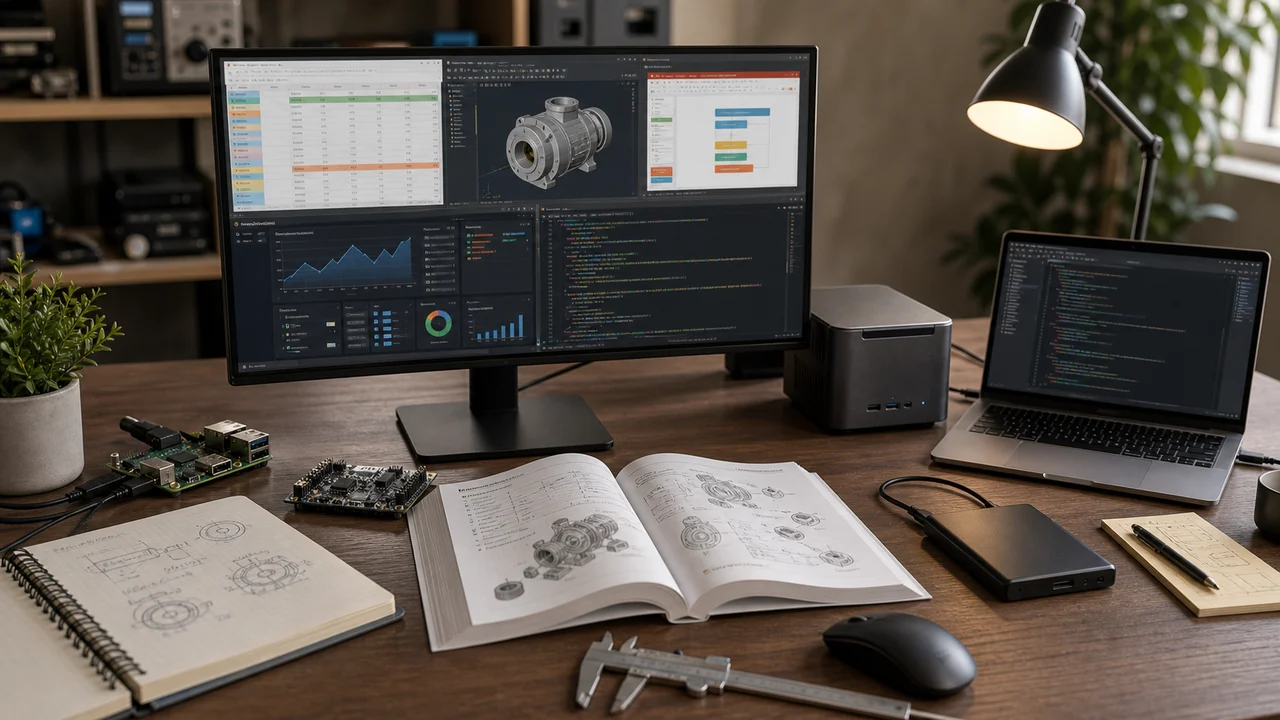
Best setup by engineering workflow
| Workflow | Recommended setup | Why |
|---|---|---|
| FE/PE study, PDFs, spreadsheets | Any modern laptop/desktop + external monitor | The study loop matters more than raw specs. |
| Bluebeam, AutoCAD review, light coding | 16-32GB RAM, 512GB+ SSD, good monitor | Screen space and memory help more than a huge GPU. |
| Local AI, side tools, Docker, dashboards | Mac mini, Windows mini PC, or strong laptop | More RAM and fast SSD storage keep experiments pleasant. |
| Always-on small services | Raspberry Pi 5 or mini PC | Quiet, low power, easy to leave running. |
| Large CAD/BIM/FEA | Windows workstation or laptop with dedicated GPU | Check your exact software requirements first. |
AI hardware tiers for engineers
If you mostly use ChatGPT, Claude, or another hosted model, your computer does not need to run the model. Spend on a better screen, keyboard, storage, and a reliable subscription first. Local AI is where RAM and VRAM start to matter.
| Tier | Specs to target | Best use |
|---|---|---|
| Cloud-first | Any reliable 16GB RAM laptop or desktop | Claude/ChatGPT, file Q&A, PowerPoint/Excel drafts, research, and light code |
| Comfortable local starter | 16-32GB RAM, fast SSD, Apple Silicon or modern Windows machine | LM Studio or Ollama with smaller models, local chat, and simple coding helpers |
| Local AI workstation | 32-64GB RAM plus GPU with 8-16GB VRAM, or a higher-memory Apple Silicon Mac | Longer context, faster local inference, and more pleasant experimentation |
| Heavy local AI | 64GB+ RAM, 16-24GB+ VRAM, large SSD, good cooling and backups | Larger models, repeated local workflows, and serious home-lab use |
As a practical baseline, LM Studio recommends 16GB+ RAM and at least 4GB dedicated VRAM on Windows, while Ollama documents supported GPUs and uses available VRAM when scheduling models. Bigger models and longer context windows need more memory.
Mac mini: best quiet desktop for personal engineering tools
The Apple Mac mini is a strong choice for engineers who want a quiet desktop for coding, local AI experiments, browser tools, spreadsheets, and document work. It is not the best answer if your required software is Windows-only, but it is excellent for personal web tools, Python, JavaScript, and general productivity. If AI is a serious part of the plan, prioritize memory: 16GB is a starting point, 24-32GB is more comfortable, and 64GB+ is where larger local-model experiments become less annoying.
Windows mini PC: good value for side tools
A mini PC can be a practical home-lab machine when you want Windows compatibility, multiple displays, and a small footprint. The Beelink SER5 MAX mini PC listing was confirmed in the live product check. Before buying any mini PC, confirm the exact CPU, RAM, storage, return policy, and whether the listing has changed.
Subscription budget matters too
For many engineers, a good AI subscription beats overspending on local hardware. Claude is strong for long documents and Office-style file work. ChatGPT is strong for deep research, agent-style tasks, broad Q&A, and data analysis. Local models are still worth learning, but they are not automatically better than a hosted frontier model just because they run on your desk.
Raspberry Pi 5: best small always-on project box
The Raspberry Pi 5 8GB is not a CAD machine. It is a tiny computer for dashboards, sensors, lightweight web apps, local services, and Linux practice. A Raspberry Pi 5 kit can be easier for a first build because it includes common accessories.
Storage, backup, and comfort matter
- Portable SSD: Samsung T7 2TB for general projects or Samsung T9 2TB for faster external storage.
- NAS: Synology DS224+ if you want a real home backup/storage box.
- Input devices: Logitech MX Keys S and Logitech MX Master 3S are worth considering for long CAD/PDF/code sessions.
- Monitor: use a comfortable external display for PDF, Bluebeam, code, and reference-heavy work. See the engineering monitor guide.
What to avoid
- Do not buy a gaming GPU if your real work is PDFs, spreadsheets, and web tools.
- Do not buy an 8GB RAM machine for modern engineering multitasking unless your budget leaves no choice.
- Do not assume a Mac will run every engineering package your school or employer uses.
- Do not use personal hardware for confidential employer files unless explicitly allowed.
Once the computer is stable, put it to work. Open the FE/PE reference material, run timed practice, track your misses, and build small personal tools only where they help you study or learn. Try free FE/PE practice questions, or use the full practice app for timed exams, diagrams, calculator steps, and analytics.
Related guides
AI Tools for Engineers • Engineering Home Lab • Bluebeam vs AutoCAD vs Revit vs Procore • Engineering Laptops
Your Computer Is the Workbench. Practice Is the Work.
FE Test Prep gives you timed FE and PE questions, calculator walkthroughs, diagrams, and topic analytics in the browser.