The best engineering calculator is the one you can use quickly, accurately, and legally when exam rules matter. For most students, that means learning a strong scientific calculator early instead of relying only on a graphing calculator that may be banned on future FE or PE exams.
Affiliate disclosure: Some calculator links are Amazon affiliate links. We may earn from qualifying purchases.
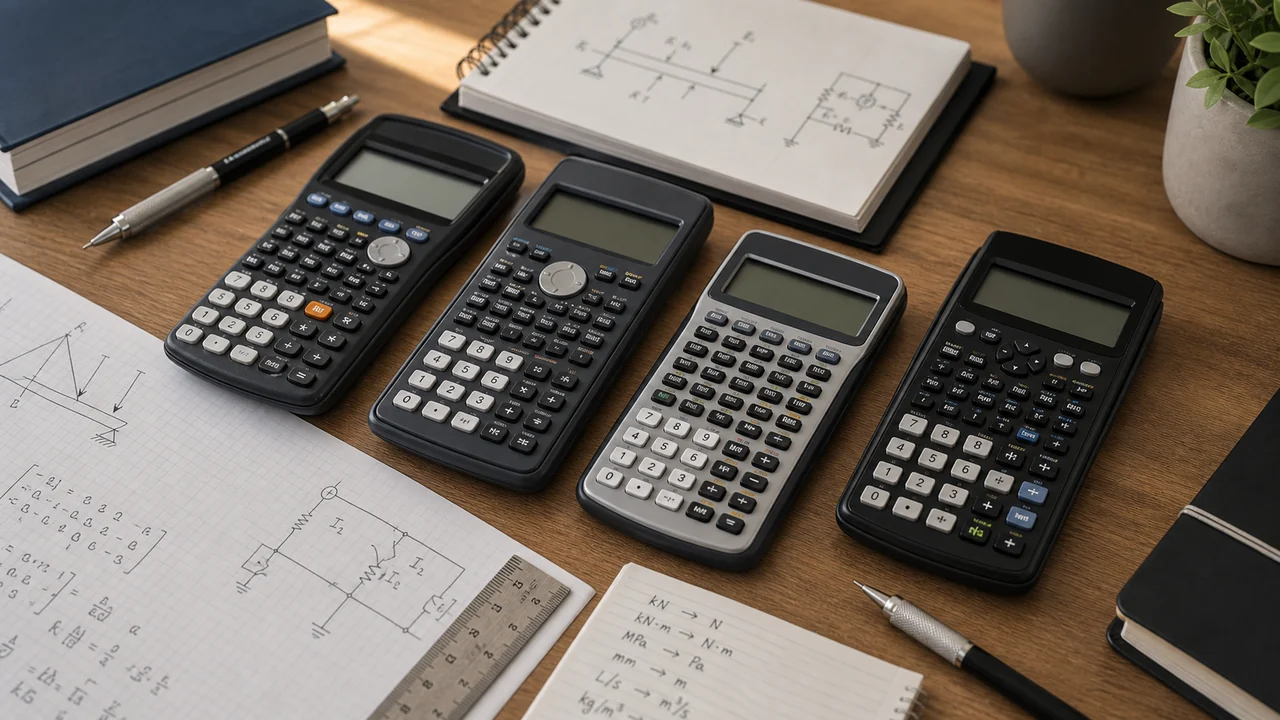
Best calculator picks
| Calculator | Best for | Shop |
|---|---|---|
| TI-36X Pro | Most FE/PE candidates and engineering students | TI-36X Pro |
| Casio fx-991CW | Students who like Casio menus and modern display | Casio fx-991CW |
| Casio fx-115ES Plus | Classic Casio workflow and FE/PE prep | Casio fx-115ES Plus |
| TI-30X family | Simple scientific calculator for early classes | TI-30X models |
| Graphing calculator | Some math classes, but not FE/PE exam rooms | Graphing calculators |
Why NCEES approval matters early
NCEES publishes a calculator policy for FE and PE exams. The approved families include Casio fx-115 and fx-991 models, HP 33s and HP 35s, and TI-30X and TI-36X models. Always check the current NCEES calculator policy before test day, because the official policy is what matters at the testing center.
You can still use a graphing calculator in classes if the professor allows it. The problem is habit. If every homework problem goes through a graphing calculator, then switching to a scientific calculator for the FE or PE feels like learning a new tool under pressure.
Our default recommendation: TI-36X Pro
The TI-36X Pro is the safest default for many engineering students because it has a strong feature set, a familiar TI layout, and broad FE/PE popularity. It handles fractions, systems, polynomials, matrices, vectors, complex numbers, statistics, and solver workflows well enough for most undergraduate engineering work.
If you choose it, learn these early: degree/radian mode, stored variables, solver, matrices, complex rectangular/polar conversion, and scientific notation. Our TI-36X Pro tutorial walks through the exam-useful features.
When a Casio is a better fit
Casio models are excellent if you like natural textbook display and menu-driven workflows. The fx-991CW is a modern option, while the fx-115ES Plus has a long track record with FE candidates. The best choice is the one you will practice with consistently.
Should engineering students buy a graphing calculator?
Maybe, but do not make it your only calculator. Some calculus, differential equations, statistics, and lab courses allow or even expect graphing calculators. Others use software instead. Ask your department before spending money. If you do buy one, still keep an FE/PE-approved scientific calculator in your bag and use it for engineering homework often.
Calculator habits that matter more than the model
- Check degree/radian mode before trig-heavy work.
- Store intermediate values instead of retyping rounded numbers.
- Write units on paper because the calculator will not save you from unit mistakes.
- Practice keystrokes before exams so the calculator feels boring on test day.
- Keep a backup battery or backup calculator if your class allows it.
Related guides
FE Exam Calculator Guide • TI-36X Pro Tutorial • Engineering College Packing List • Summer Before Engineering College
Calculator habits to build before the exam
The model matters less than your fluency with the exact functions you will use under time pressure. For FE and PE work, practice scientific notation entry, parentheses, stored variables, trig mode, inverse trig, statistics, polynomial solving, and matrix solving on the same calculator you plan to bring. Do not wait until exam month to learn where the keys are.
The TI-36X Pro is popular because it handles most FE-style workflows without a graphing interface: numerical solvers, matrices, vectors, statistics, complex numbers, and constants. Casio models can also work well, especially for students who prefer the display and menu structure. The deciding factor is not brand loyalty. It is whether you can enter a multi-step expression without retyping it three times.
When you practice, write the keystroke sequence next to any missed problem that involved a calculator mistake. Examples include entering (10^{-6}) as (10^6), leaving the calculator in degree mode for a radian problem, or rounding intermediate values too early. Those notes become a personal calculator drill list, which is more useful than rereading the manual the night before the exam.
Calculator buying mistakes to avoid
Do not choose a calculator only because it has the most features. For NCEES exams, an allowed calculator you know well is better than an impressive model you cannot bring or cannot operate quickly. Also avoid switching models late in your study plan. Muscle memory matters when you are tired.
Before the return window closes, solve five real homework or FE-style problems with the calculator: one trig problem, one scientific-notation problem, one statistics problem, one equation-solver problem, and one matrix or vector problem if your course uses them. If the menus frustrate you now, they will frustrate you more during an exam.
Exam-day calculator setup
Bring a calculator you have used for entire practice sets, not one you only tested on single equations. Replace or charge batteries before exam week, clear old stored values if your model keeps them, and confirm degree or radian mode when a trig problem begins. Small setup checks prevent avoidable losses.
During study, practice writing one clean expression before entering it. That habit catches missing parentheses, exponent signs, and premature rounding. It also makes your review easier because you can see whether the mistake was the engineering setup or the calculator entry.
Practice With the Calculator You Will Actually Use
Guided Calculator Drills show the keystrokes behind common FE and PE problem types so the calculator becomes part of your workflow, not a source of mistakes.